
Locate both profiles before a Hookshot save transfer
| Program | Starting point for locating user data |
|---|---|
| Hookshot on Windows | The user directory inside the installed game folder, unless you supplied another user location |
| Hookshot on Linux | ~/.local/share/hookshot by default; check XDG overrides and any custom --user argument |
| Lichii | Newer builds describe %APPDATA%\lichii or ~/.local/share/lichii. Older Eden-derived profiles and portable user directories can differ. |
| NX2navi | Check the active game profile. Its launcher also provides a save import option. |
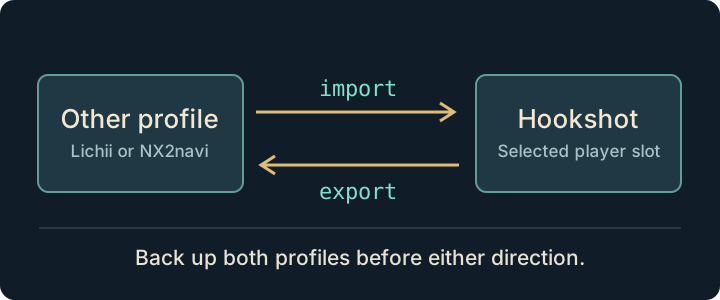
Start each application once and create a save if its destination does not yet exist. Close both applications completely. Copy both profiles to a separate backup location. Keep slots and companion files together: account.sav and option.sav can travel with progress.
Preview a Hookshot save transfer before copying
For a scripted Hookshot save transfer, open a Hookshot folder that contains the official scripts/oot_saves.py. Run python -I scripts/oot_saves.py list to inspect discovered saves. For example, to bring a Lichii save into a Windows installation, preview:
python -I scripts/oot_saves.py import lichii --hookshot "C:\Games\Hookshot" --dry-run
Replace the sample destination with your own. Check the profile, direction and slots printed. If discovery points at an old Eden directory, use --from with the active source folder. For exports use --to for the emulator destination. When several profiles exist, select the intended ID using --profile. Remove --dry-run only after the preview matches your plan.
Verify or undo a Hookshot save transfer
Open only the destination and load the slot you noted. Verify the location and inventory before continuing play. The helper backs up the target it replaces. To undo a Hookshot save transfer, close the game and restore the target backup as a set. Do not merge unrelated old slots into the newly copied set.
Preview a Hookshot save transfer from a different Lichii profile
Suppose Lichii shows a slot saved in Kakariko Village, but the transfer preview lists an older Kokiri Forest slot. Stop at the preview. An older Eden-derived profile and a newer Lichii profile can both exist. Use the emulator's active save location or inspect the profile you actually launched. Match the slot and its save time, then close the emulator. Back up that source and the destination before trying another command.
From the prepared Hookshot folder, preview an explicit source. In this example both paths must be replaced with your own:
python -I scripts/oot_saves.py import --from "D:\Backups\Active Lichii save" --hookshot "C:\Games\Hookshot" --dry-run
Check both sides of the printed operation. If there are multiple players, do not guess from the first hexadecimal folder name. Select the profile you identified, repeat the preview, and only then perform the copy. Open the destination alone and verify the slot and location before saving over it.
If the wrong progress appears, close both programs. Locate the helper's backup for that import or export operation and restore the destination set you preserved. The official migration guide explains backup locations and which slot and account files travel together.
Frequently asked questions
Can I import one file if I only care about a single slot?
The documented transfer works with the slot and its companion data. Keep a complete copy of the profile before experimenting. Restoring a mixed set of old and new files makes the result harder to identify.
Does a Hookshot save transfer include controller mappings?
The game's own options can accompany a save. Hookshot's desktop input and graphics choices in hookshot_options.ini belong to its installation. Keep a separate copy of that file if you want to reproduce the same PC setup.
Why does the script stop on NX2navi?
A pending save transaction can still be waiting to commit. Open NX2navi, allow it to finish and quit normally, then repeat the dry run. Avoid forcing a write over a pending transaction.
Why does Hookshot save transfer miss my Lichii profile?
The Hookshot migration documentation and Lichii profile documentation describe different generations of directory layouts. Verify your actual data location and pass it explicitly. The maintainer distinguishes tested Lichii transfers from other source-derived paths. See Hookshot vs Lichii or Hookshot vs NX2navi for the broader differences.