
Hookshot vs Lichii at first launch
| Decision | Hookshot | Lichii |
|---|---|---|
| Scope | Builds one supported Switch 2 game revision into a native desktop program. | Experimental emulator with per-title compatibility for Switch and Switch 2 software. |
| First setup | Select game input, choose a destination and compile through the builder. | Install the official emulator build and set up the game and system files required by its documentation. |
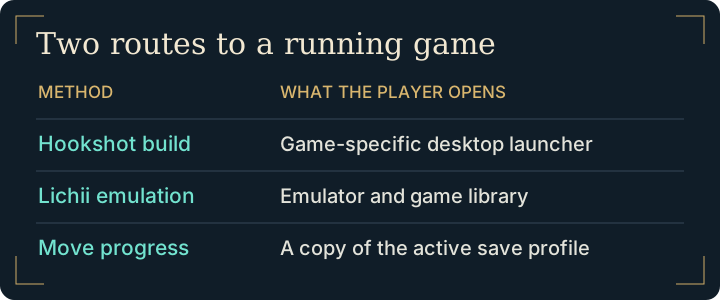
| Ongoing use | Open the launcher inside the built game folder. | Open the emulator and select the title from its library. |
| Evidence to check | Game input, GPU requirements and the project's tested scenes. | Compatibility report for the exact title, emulator build and hardware. |
Choosing Hookshot vs Lichii for a game library
If you are preparing a PC specifically for the remake, start with Hookshot's requirements and the supported input. A portable setup for several games has a different requirement: each game must work well enough in the emulator. Use Lichii's compatibility reports to check the particular title and read which scenes were tested.
For software downloads, Lichii identifies its GitHub releases as the official channel. Its compatibility website serves reports. Be careful to distinguish the two when choosing a file.
How to test Hookshot vs Lichii with the same save
Try the same route with comparable display settings to assess frame pacing. To assess migration, use a copy of a known slot, confirm the destination can load it, then exit before continuing in the other program. A successful transfer proves nothing about long-session rendering stability.
What changes if your Lichii library already works?
A player with a working Lichii library already has an emulator profile, controls and a known save. Moving one game to Hookshot means preparing its supported input, building a separate installation and mapping controls again. Before doing that work, identify a feature you intend to test and a scene in which you can recognize the difference.
Starting on a new PC changes the decision. For this one game, compare the native project's input and hardware requirements first. For several games, check each title in the emulator's compatibility reports. A report that one title starts does not establish that the other titles or the scenes you care about will work.
Frequently asked questions
Why can the emulator list several games while Hookshot builds just one?
Hookshot targets the code of a particular game revision. Lichii supplies an emulated environment that different titles can use, with compatibility assessed separately for each title.
Where should I get Lichii when comparing the two approaches?
Follow the project's own GitHub Releases link from its repository. The site linked for compatibility reports serves a different purpose, and it does not replace the publisher's download channel.
Can I use an existing Lichii save in Hookshot?
The projects' layouts can vary across versions. In particular, Lichii's profile documentation describes its own directory and portable profiles. Check the actual profile, then follow the save transfer guide to preview the direction. Do not point two running programs at the same writable save directory.
Is there a reason to test Hookshot vs Lichii if my setup already works?
Identify the specific benefit you want, such as an alternate control layout or a dedicated launcher. Test that need in a separate installation while preserving the working profile. For two game-specific native approaches, read Hookshot vs NX2navi.