
Hookshot Steam Deck setup in Desktop Mode
Connect power and check free space on the actual destination drive. Use the native AppImage from the Linux setup guide, grant execute permission and select your own supported game input. Use a writable destination you can find again in Dolphin. Keep the AppImage in place after the build, then launch the completed game in Desktop Mode first.
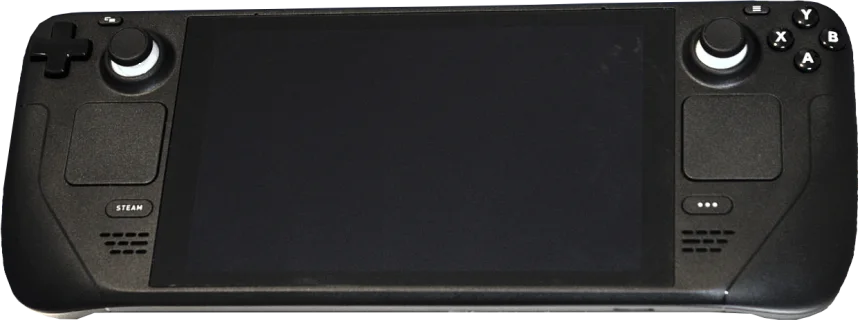
Device photo by Liam Dawe / GamingOnLinux, PNG by Vulphere, CC BY-SA 4.0. Resized and converted to WebP under the same license.

Check the Hookshot Steam Deck shortcut and controls
For a first Hookshot Steam Deck session, start the installed launcher and check movement, camera and menu access with one input layout. If you add a non-Steam shortcut, point it at the installed launcher. Compare the same actions in Gaming Mode. A key assigned in Steam Input and again inside the game can complicate diagnosis. Change one mapping layer at a time and use the controls reference to undo the change.
Diagnose a Hookshot Steam Deck freeze in the forest
The project’s Deck issue describes a freeze around Kokiri Forest or the Great Deku Tree with a GPU timeout. Check whether your scene and the gfx_0.0.0 timeout entry in journalctl -k match. A low frame rate without that message is a different symptom.
For that specific report the maintainer documents RX_VK_MESH_NOCULL=2c56dc1006942f74 in hookshot_env.txt in the built game folder. Copy the original configuration, close the game, add only that setting, and repeat the same route. Remove the added line to revert. Check the upstream troubleshooting entry for applicability to your release.
Match a Hookshot Steam Deck freeze to a reported case
The original GPU timeout report came from a Deck running CachyOS with RADV. Another player in the discussion reported a similar symptom under SteamOS. A separate upstream collection of hardware reports includes Deck OLED results. Match the operating system, driver, Hookshot release and scene before borrowing settings from another player.
For a useful baseline, start from one save and walk the same short route. If the game exits, copy the game log before launching again and note the approximate time. Compare it with the kernel messages around the same time. A graphics-ring timeout, a normal process exit and a desktop freeze that requires a restart are different outcomes. Include which one occurred.
If you try a documented workaround, change only that setting, repeat the route, and check the scene visually as well as for a crash. The upstream skip-draw workaround can hide the objects drawn by the skipped shader; reaching the next room with missing geometry is a partial result. Restore the original configuration after your comparison.
Frequently asked questions
Does a timeout report for one LCD or OLED Deck apply to mine?
Use the report as a reproduction case. A different Mesa build, OS image or project release changes the conditions even on similar hardware. Record your own result at the named location.
What evidence should I save after the GPU resets?
Keep the runtime log, kernel messages near the failure, the last visible action and any local overrides you enabled. Include the Deck model and whether Desktop or Gaming Mode was active. Redact private paths before sharing excerpts.
What should a Hookshot Steam Deck compatibility report include?
Record the Deck model, SteamOS and project versions, scene, power settings, and whether it launched through Desktop or Gaming Mode. Include the result of a second pass after shaders have been prepared. If the picture stays visible but movement is uneven, follow the low FPS comparison.
Should I apply the Deck workaround on a working installation?
Keep the configuration that already works. The override addresses a particular GPU hang. It is not a prerequisite for installing the AppImage or for configuring handheld controls.